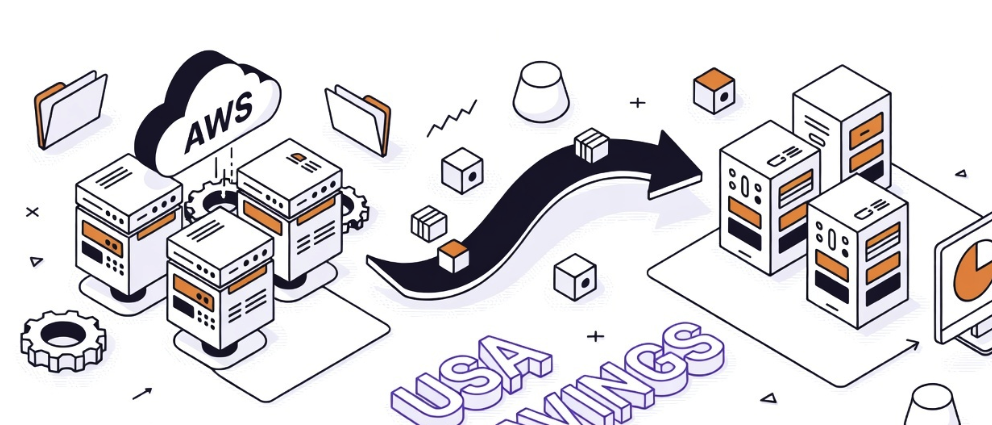
How to move your workloads off AWS (and save 30-60% on infrastructure)
March 9, 2026

Aron Wagner
CEO & Co-Founder
The cloud repatriation wave is here — and it's not slowing down. In 2026, over 80% of enterprises are actively planning to move workloads off major hyperscalers. The reason is simple: the math stopped working.
When public cloud was new, the pitch was compelling. No upfront costs, infinite scalability, pay only for what you use. But a decade later, companies are waking up to a different reality — bloated bills, unpredictable pricing, and egress fees that make leaving feel like breaking a lease with a penalty clause attached.
If you're considering cloud repatriation, you're not alone. And you're not crazy. Here's how to do it right.
What is cloud repatriation — and why now?
Cloud repatriation means moving workloads from public cloud providers like AWS, Azure, or GCP back to privately owned or independently hosted infrastructure. It doesn't mean going back to the server closet. It means choosing infrastructure that gives you control, predictability, and freedom.
The numbers tell the story. 37signals (the company behind Basecamp and HEY) saved over $10 million across five years by leaving AWS. Dropbox saved $74.6 million over two years after repatriating core storage infrastructure. GEICO moved off Azure to build its own platform. These aren't fringe experiments — they're Fortune 500 decisions driven by hard cost analysis.
For predictable workloads — the kind most businesses actually run — hyperscalers charge a 30-50% premium over alternative infrastructure. You're paying for the option of infinite scale even when your traffic is steady and your storage growth is linear.
The egress fee trap
Here's the part most companies don't see coming. AWS charges roughly $0.09 per gigabyte for data leaving their network. That sounds small until you do the math on real workloads.
Moving 1 petabyte of data off AWS costs between $90,000 and $120,000 — just in egress fees. That's not the cost of your new infrastructure. That's the toll you pay to leave the old one.
Egress fees aren't a cost of doing business. They're a lock-in mechanism designed to make leaving painful enough that you don't. And they show up in places you wouldn't expect: data transfers between regions, pulling backups, serving content to users, syncing with external services.
For machine learning teams moving model checkpoints and training data, egress fees can add thousands per month to what should be a straightforward workflow.
Which workloads should you repatriate first?
Not every workload is a good candidate for repatriation. The best ones share a few traits:
-
Steady-state applications — Workloads with predictable traffic patterns that don't need elastic scaling. Web apps, internal tools, databases with consistent usage.
-
Data-heavy workloads — If you're storing and serving large volumes of data, the egress and storage costs on hyperscalers are where the premium hits hardest.
-
Compliance-driven workloads — If you need to control exactly where your data lives, who has access, and what jurisdiction governs it, owning your infrastructure makes compliance dramatically simpler.
-
Stable production environments — Apps that have matured past the "move fast and break things" phase. You know what resources they need. You can right-size without guessing.
Leave the genuinely bursty workloads — seasonal traffic spikes, experimental projects, dev/test environments — on elastic infrastructure if it makes sense. Repatriation isn't all-or-nothing. It's about putting the right workload on the right infrastructure.
How to plan your repatriation
Step 1: Audit your current spend. Break down your cloud bill by service, region, and workload. Identify which workloads are costing the most relative to the value they deliver.
Step 2: Calculate your true cost of ownership. Include egress fees, support tiers, reserved instance commitments, and the engineering time spent on cost optimization. Many teams spend 20-30% of their DevOps capacity just managing cloud costs.
Step 3: Containerize everything. If your workloads aren't already running in Docker or Kubernetes, start there. Containerization is what makes migration practical — it decouples your application from the underlying platform.
Step 4: Choose your destination. Look for a provider with transparent pricing, no egress fees, and the full stack you need — compute, storage, networking, managed databases, and Kubernetes support.
Step 5: Migrate in phases. Start with one non-critical workload. Validate performance, cost, and operational workflow. Then move the next one. Repatriation done right is a controlled process, not a weekend fire drill.
Where to land
American Cloud was built for exactly this moment. US-based infrastructure with no egress fees, 25%+ savings over AWS, Azure, and GCP, and a full product suite — compute, storage, networking, managed databases, Kubernetes, and colocation.
No content moderation policies that put your business at risk. No hidden fees that punish you for moving your own data. No Big Tech dependency.
If you've been thinking about moving off AWS, the economics have never been clearer.
Ready to run the numbers? See how much you can save with American Cloud's transparent pricing — and start your repatriation with zero egress fees.