ACE Add New User
Last updated: July 29, 2025
Add a New User
- Log into the ACE environment as Admin
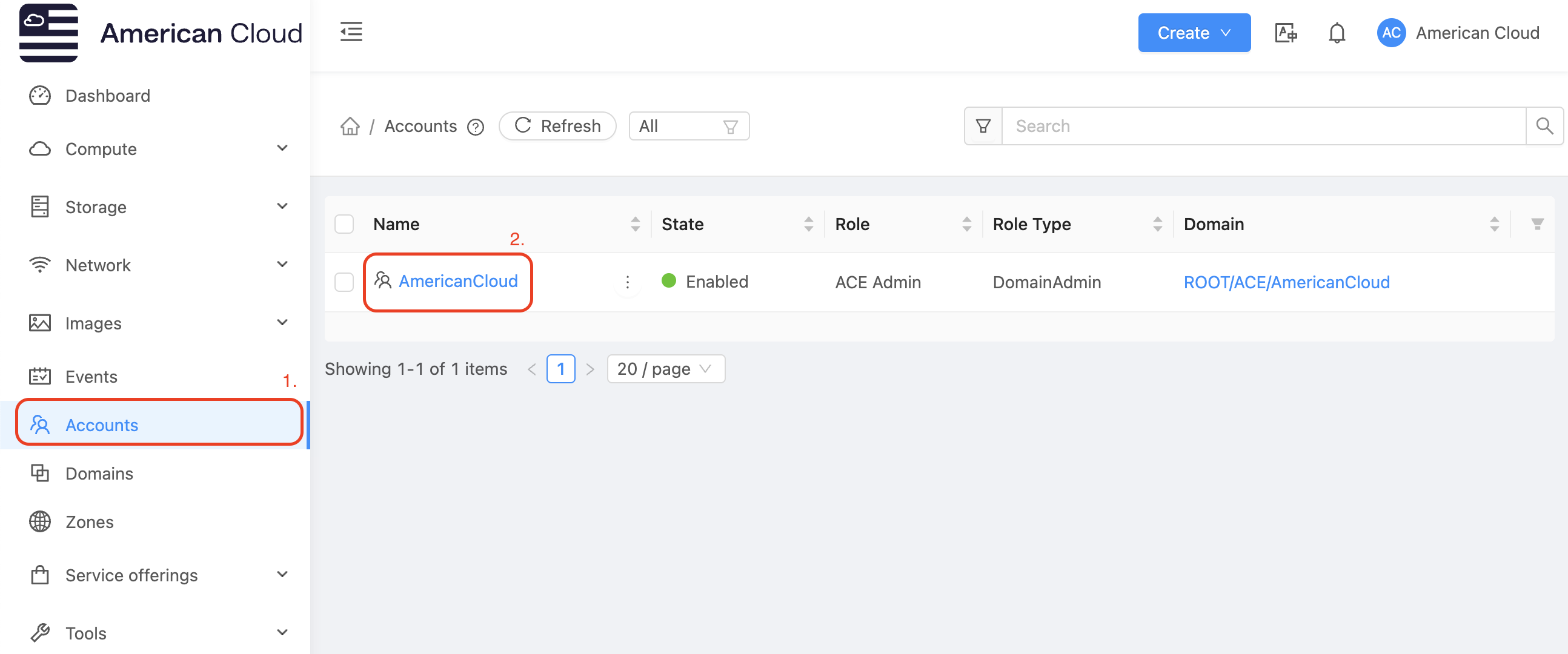
- In the left-hand navigation bar select
Accounts - Select the account to add the new user to. For example
AmericanCloudin the display below
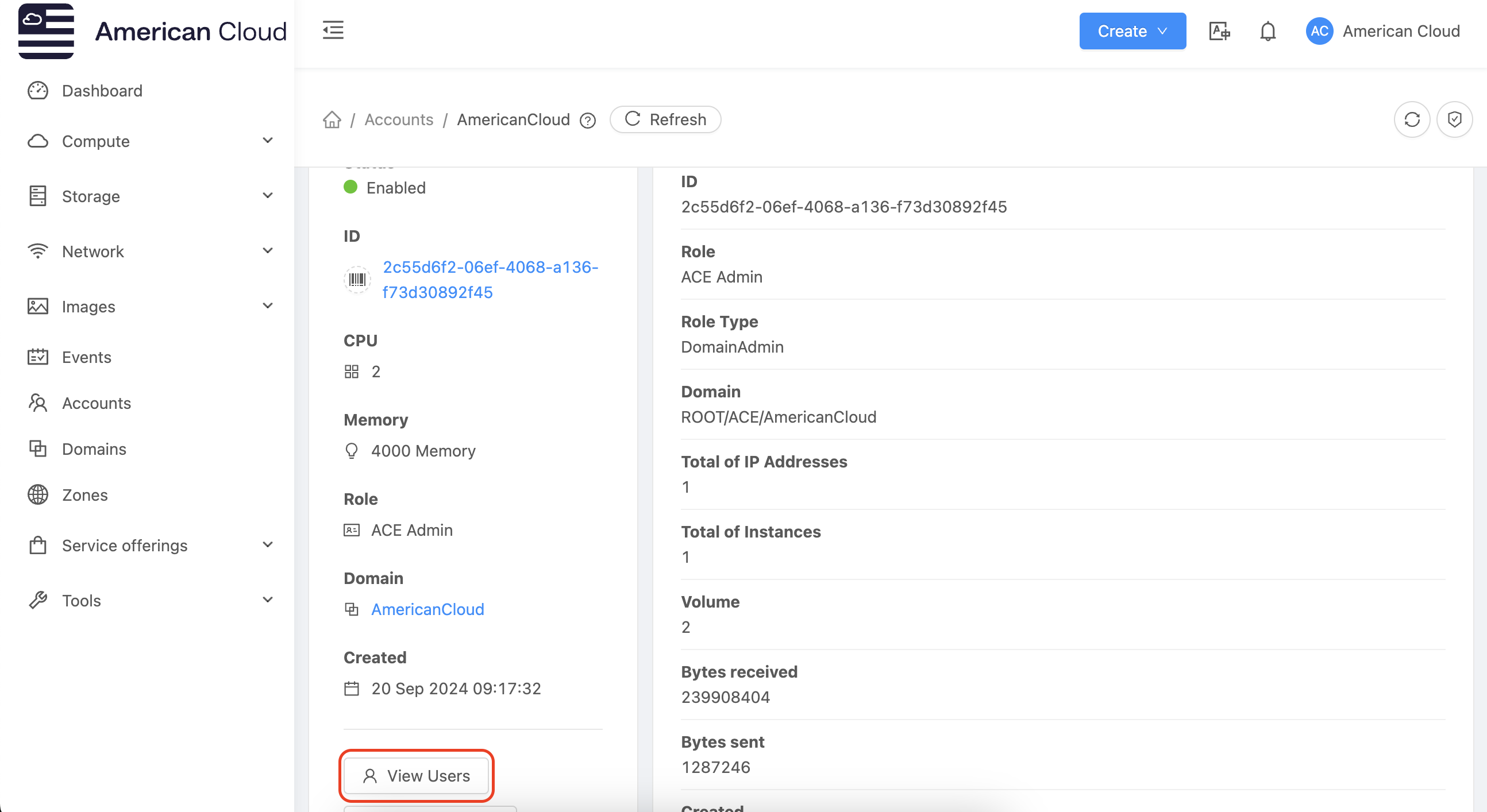
- Once inside the account select
view users
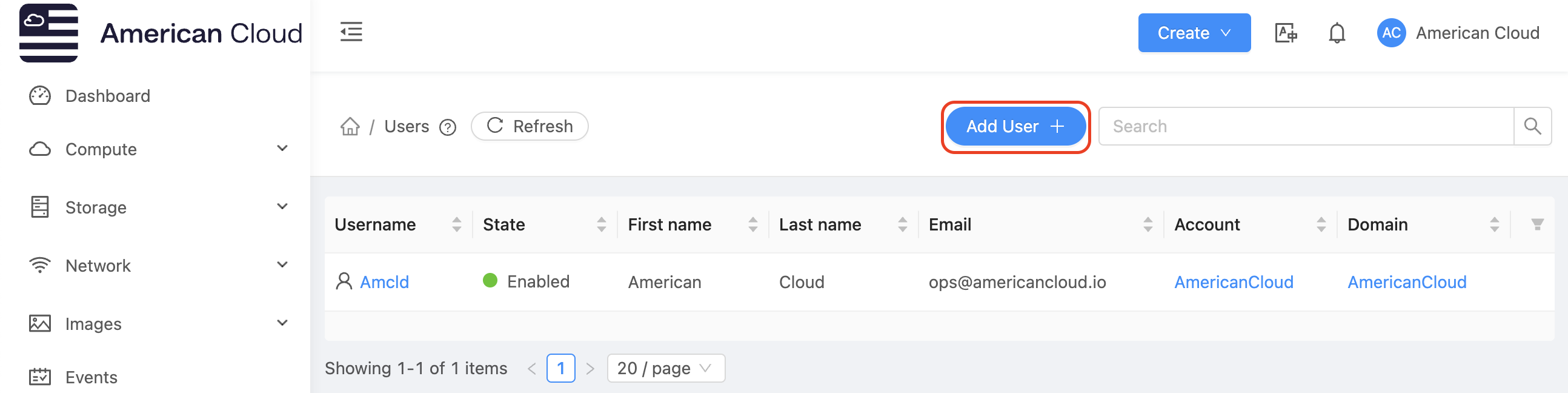
- Select
Add User +from the top right of the page
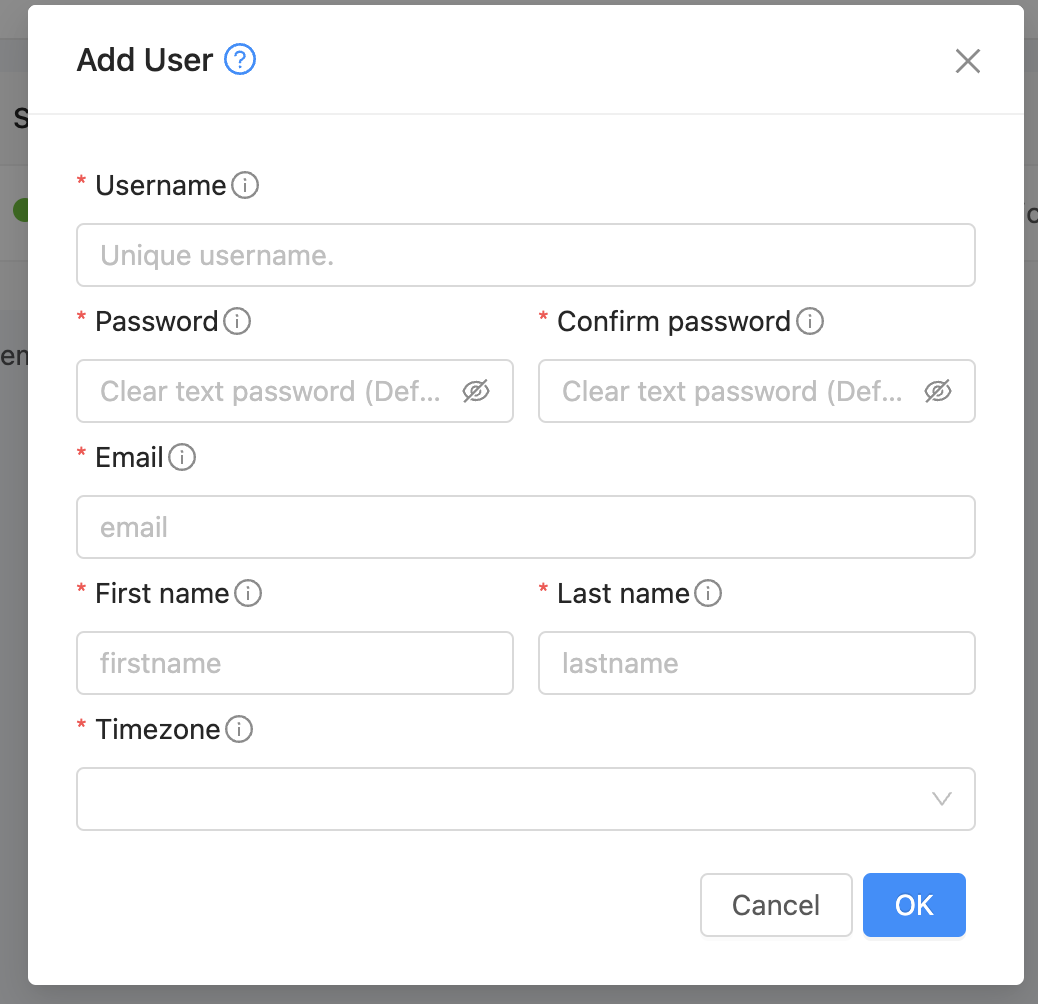
- Finally add the required information for the user and select
OK.
- Record the new user's credentials into the preferred password management client
[ On this page ]