ACE Creating SSH Key Pair
Last updated: July 30, 2025
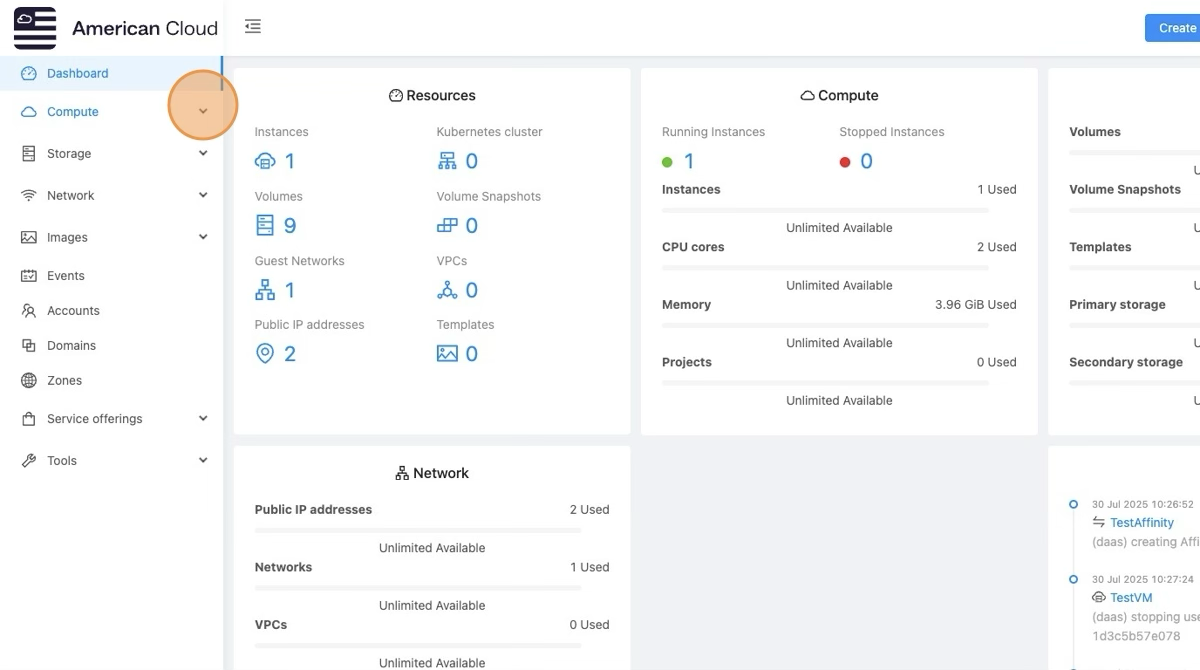
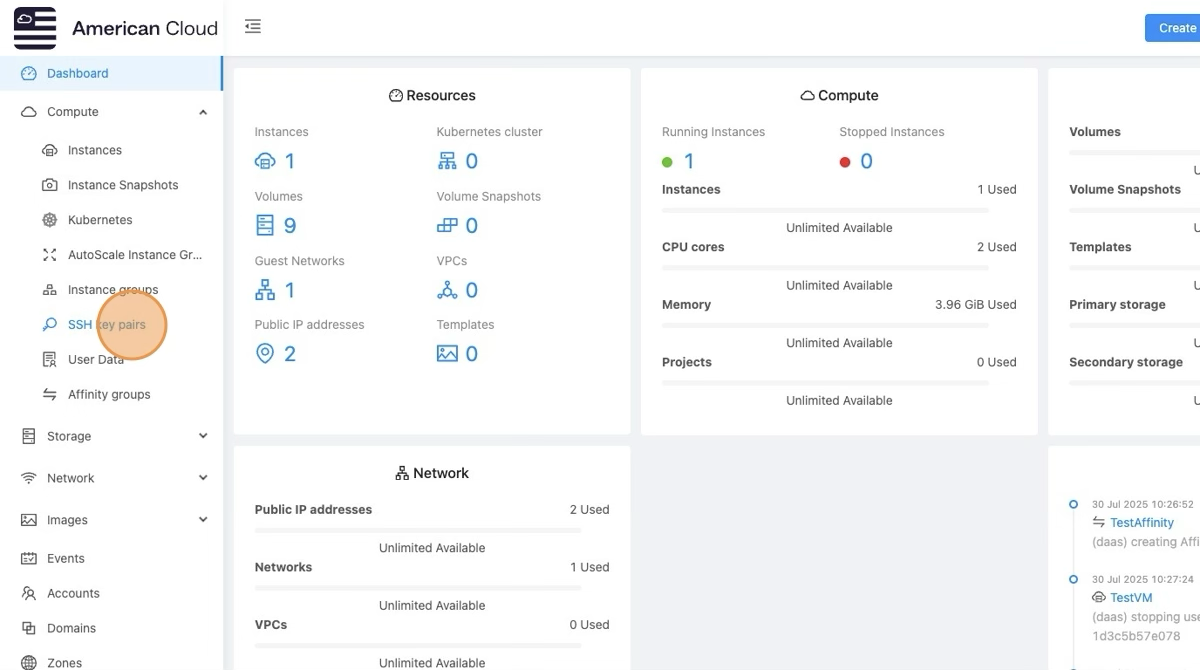
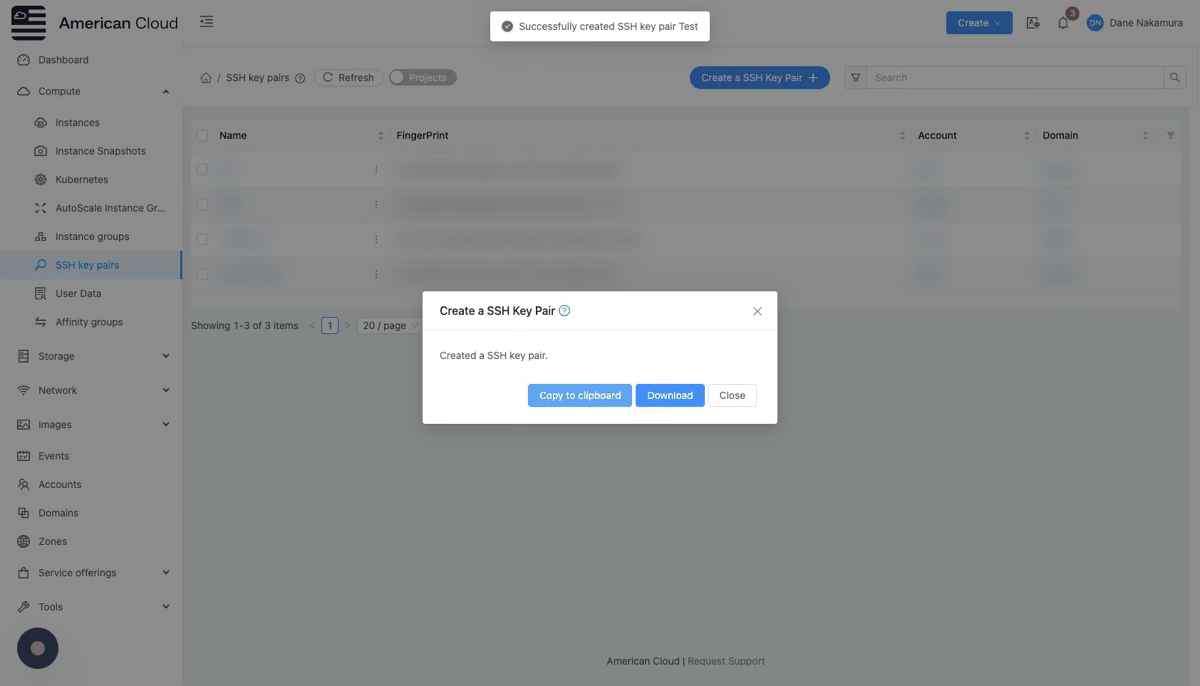
- Go to Compute → SSH Keypairs
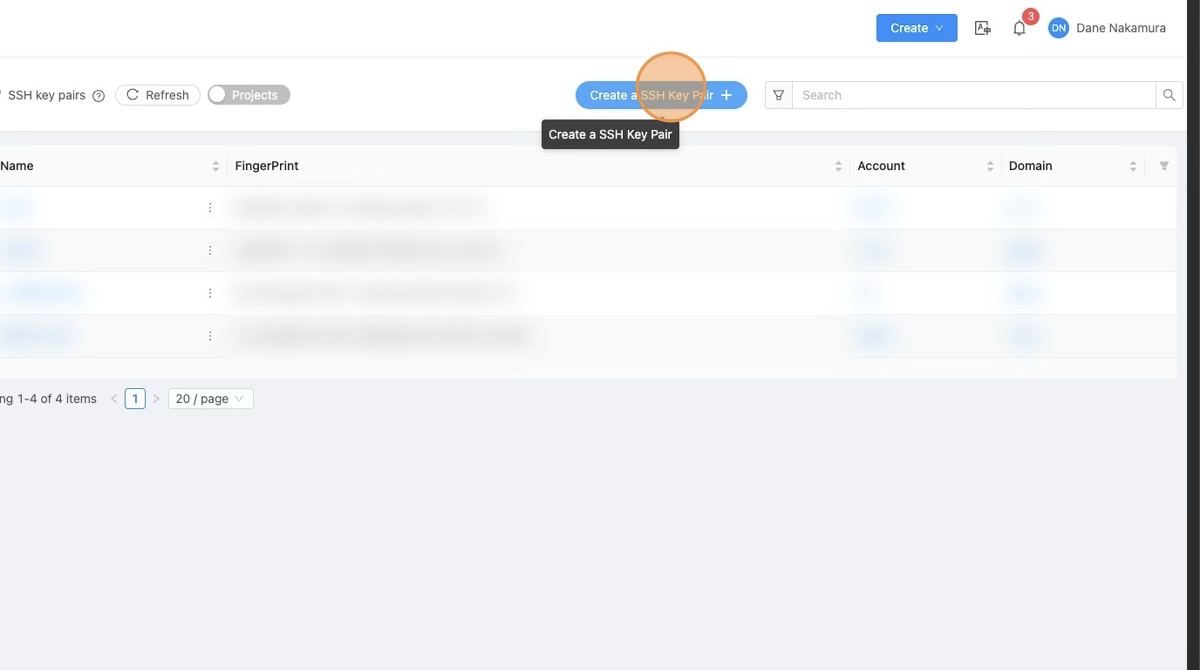
- Click Create SSH Keypair.
- You'll have two options:
- Create a new keypair: ACE will generate a keypair and give you the private key.
- Import an existing public key: If you already have a key, paste the public key here.
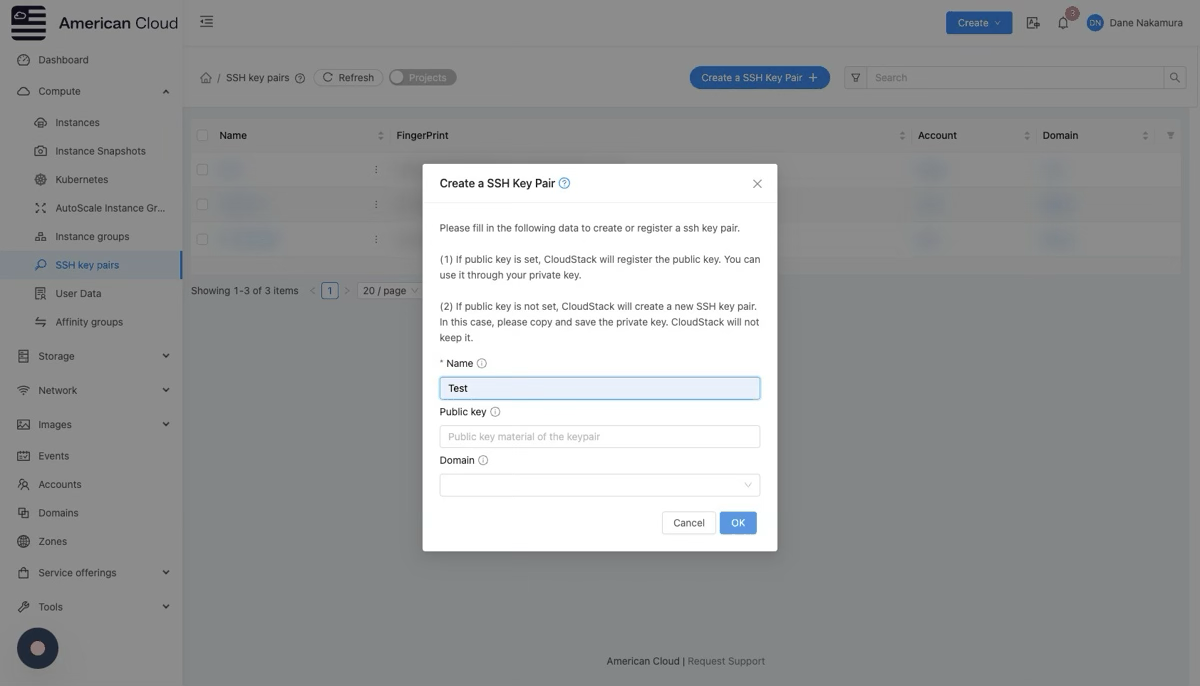
- After saving, the keypair is associated with your CloudStack account.
💡 When you launch a VM, select this keypair in the "SSH Keypair" dropdown. ACE will automatically place the public key into the VM's authorized keys.
Notes
- Always back up your private key securely.
- CloudStack stores only the public key.
- The keypair must be selected when creating the VM to be injected into the instance.
[ On this page ]