Kubernetes - Autoscaling
Last updated: August 30, 2024
Instructions to enable Kubernetes Autoscaling.
- Login to the Web Portal with a valid American Cloud account
- On the left navigation column choose 'Kubernetes'
- Choose a cluster to enable autoscale. To create a cluster, Click Here.

- Click on "Scale Kubernetes Cluster"

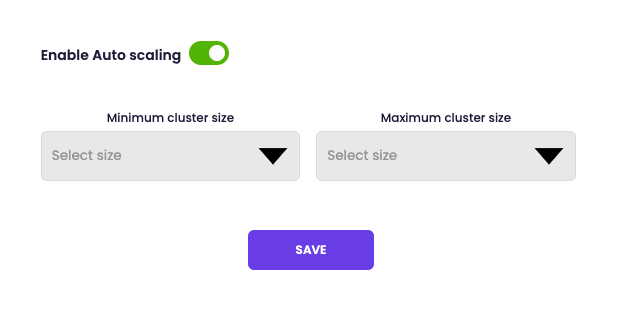
- Toggle on "Enable Auto scaling" and Select the Minimum and Maximum cluster size.
[ On this page ]